I own a VXDIAG NANO GM. I bought the 2 year subscription from the tis2web site so that I could update the software in my 2014 Chevy Impala. Well, everything worked except my driver seat memory control module. An error appeared during programming and it bricked it so I can’t move my seat or mirrors. GDS2 can’t see it now either to run diagnostics. Bought a new seat module and they are un-programmed from the factory but it won’t program either. I was reading in a blog that I probably need an interface that allows me to use the MDI manager directly from GM and not a hacked version. Some people claimed that some of the modules need the latest MDI code from GM to work.
Do you agree with the blogs I have read about needing the most current MDI manager software?
Is the MDI 2 100% compatible with the GM one so that I could use the MDI manager from the GM site and be able to update the interface with GM firmware? Or does it use a hacked MDI manager like the VXDIAG?
If not then do you sell an interface that would work with the original MDI manager software from GM that would allow use of the latest software?
GM also has CAN bus diagnostics software that that the VXDIAG does not fully support. Do any of your other interfaces like the MDI 2 support it?
Obdiitool.co.uk engineer replied:
Yes, GM MDI2 GDS2 software can solve the problem. In the GM MDI2 software, there is engineer software called “dps” is shown as below. Open this DPS software and view the menu to select the function you want to operate.
V2020.3 GM MDI GDS2 GDS Tech2Win Software Sata HDD for Vauxhall Opel/Buick and Chevrolet:
If you are a BMW car owner, you need a solid BMW scan tool to check out what happened when your BMW car has problems. So here lists out 4 BMW Code Readers for reference.
It can be used without having to connect it to a computer which makes it efficient for everyday use.
With this BMW OBD1 and OBD2 Scanner, you can easily access your cars since it is made simple and user-friendly.
The FOXWELL NT510 is probably the best BMW scan tool for use with non-BMW cars. However, you have to pay for the software to use the tool with cars that aren’t BMWs. Despite that, you can use it with Ford, GM, Toyota vehicles, and any other car makes you can think of once you’ve bought the right software patch.
Pros:
– Fast running speed and communicating speed since it comes with better IC and newest PCB.
– Share the same vehicle coverage and functions as nt530.
– With one free car software
-Full-system diagnostics available
Cons:
-The silicone buttons are not as good as the Keypad that nt530 has.
-You need to pay for the software patches for you to use this scan too fully if your car is not a BMW.
Vehicle coverage:
NT510 Elite works with the latest 2018, 2019 models!
KOLSOL C310+ BMW code reader is same as Creator C310+. KOLSOL C310+ is copy and Creator C310+ is original. But except the hardware with different colors, they have same software, support same language, function and car models.
Note: you can free update the newest software for two C310+ BMW code readers via PC by USB cable. Download the software from official website: http://www.szcreator.com/.
The software update guide is same as Creator C310+, just refer to the guide above.
Language: English, German, Chinese
Diagnostic function: same as C310+
Special function: No.
Vehicle coverage: Supports BMW cars from 1997 to 2019; With MINI Cooper test function. The specific car models supported is same as C310+.
Whether you pick a cheap BMW OBD2 scanner with simple functionality or an expensive one that lets you program your BMW, you’ll save lots of money by figuring out what’s the problem with your car at home by yourself.
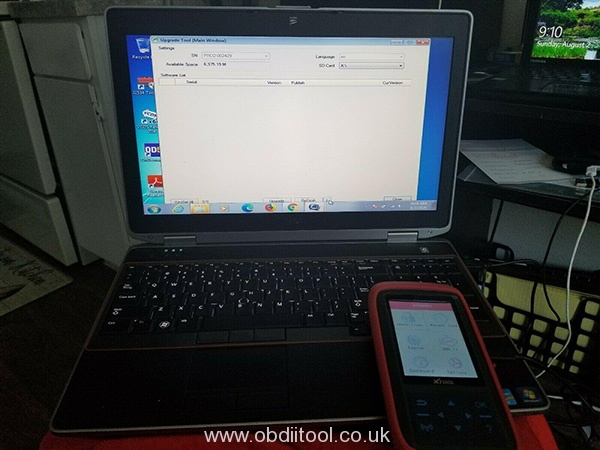
Recently, some customers gave feedbacks that they failed to update Xtool X100 Pro2 auto key programmer. Here have collected the common update error and offered the corresponding solution.
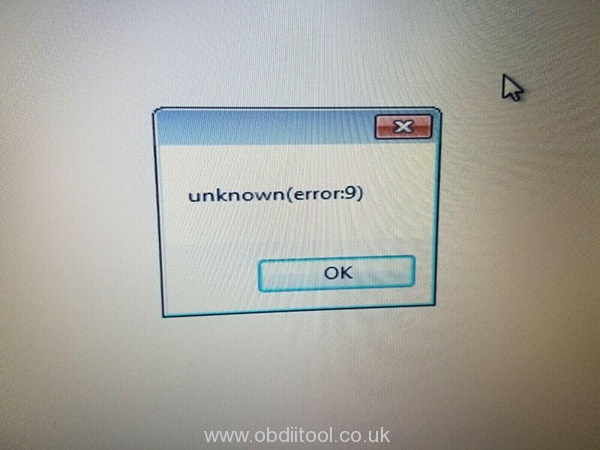
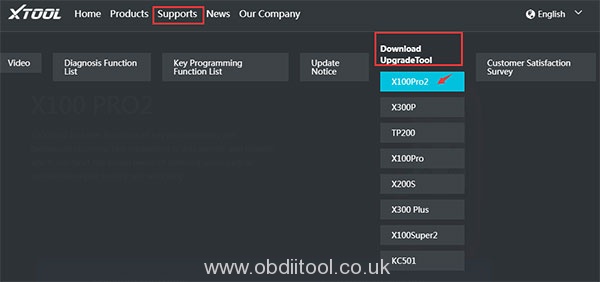
Problem 1: I install the x100 pro2 upgrade tool from xtooltech.com, but it cannot identify the device. The error message is “unknown (error: 9)”. I change another computer to install, but also fails.
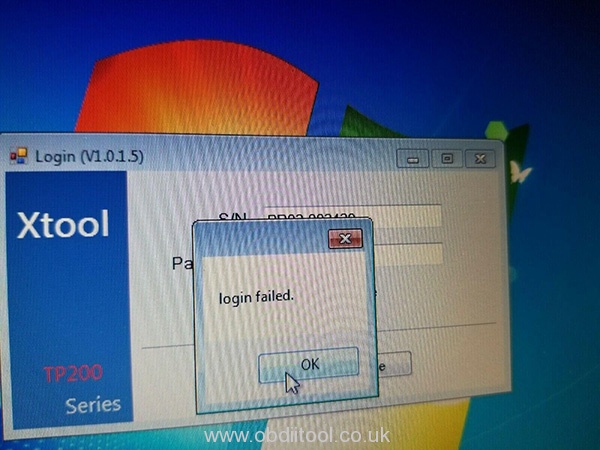
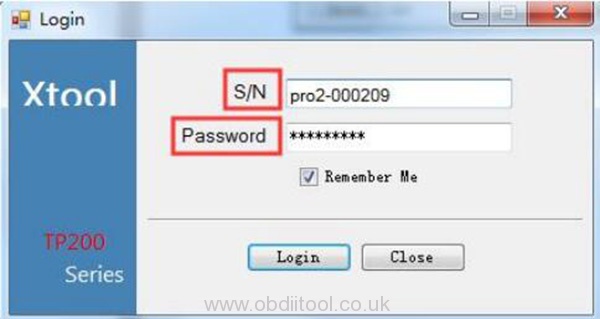
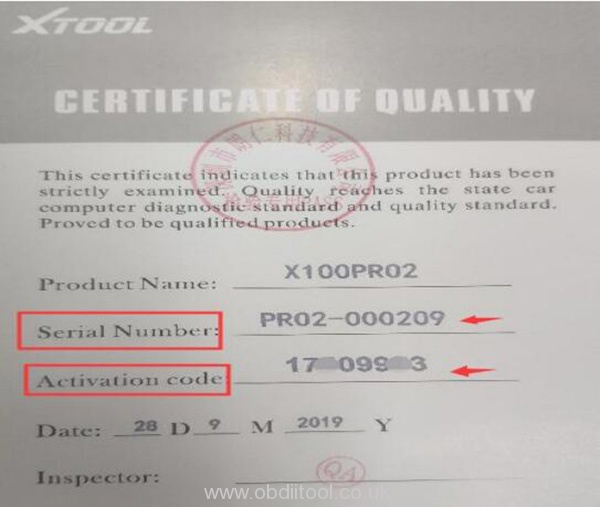
Problem 2: When I input the S/N and password from the Certificate of Quality paper, it prompts “login failed”.
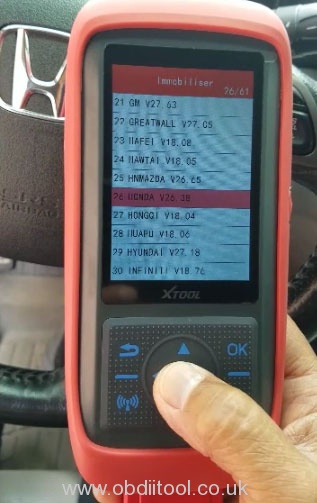
Problem 3: After I update x100 pro 2upgrade tool, my device cannot use, it appears white screen with only red bar at the top of the screen. I check the main menu, everything is ok, but when connecting it to the car, it cannot do anything.
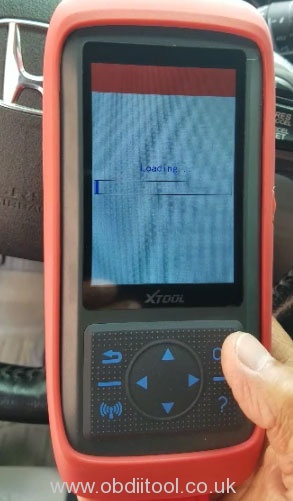
Problem 4: I had updated the software from V3.0 to V4.0. When I connected it to the car, it showed “Loading”, but then the screen turned blank and couldn’t work (IMMO, OBD2, Dash Board, Eeprom etc).
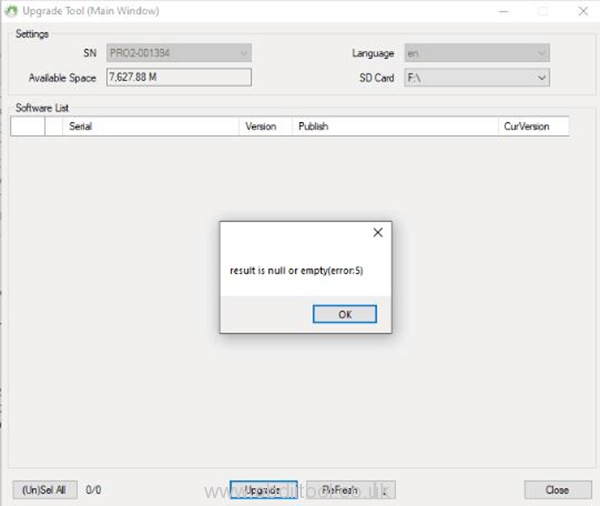
Problem 5: It prompts an error message “Result is null or empty” when update x100 pro2.
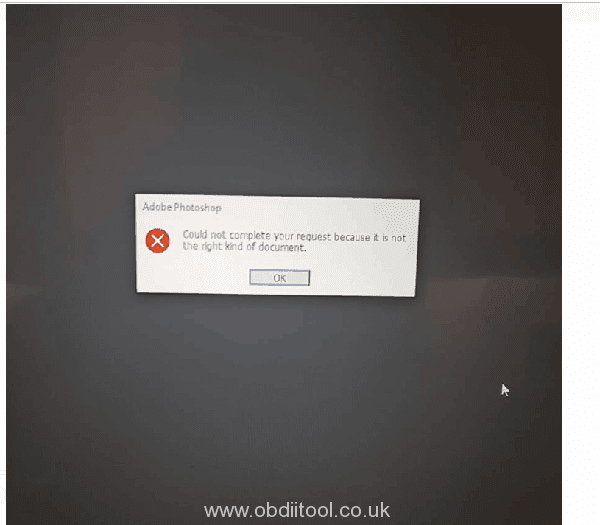
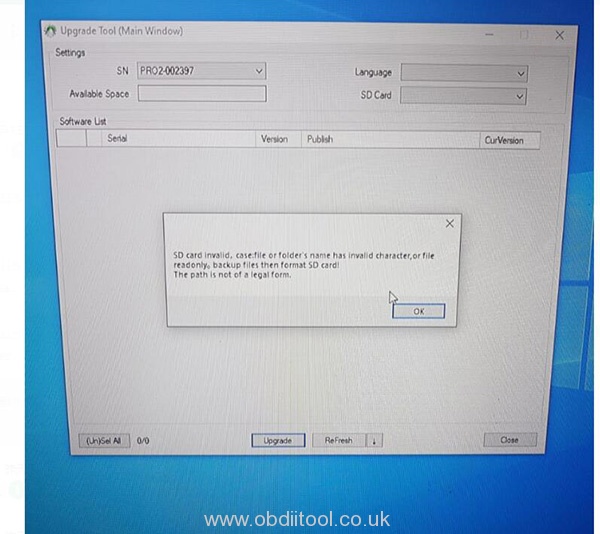
Problem 6: When I update x100 pro2, it prompts “Could not complete your request because it is not the right kind of document” and “SD card invalid. Case: file or folder’s name has invalid character, or file read only. Backup files then format SD card! The path is not of a legal form.”
The possible causes for the errors above including:
1.You use an incorrect upgrade tool
2.The serial number begins with PRO, but the letter “O” you input is number “0”
The solution:
1.If you cannot update via USB cable, change to SD connection.
You should format the TF card before re-upgrading. Remove the SD card from x100 pro2 key programmer, and insert into card reader, then connect to computer.
2.Use the correct upgrade tool
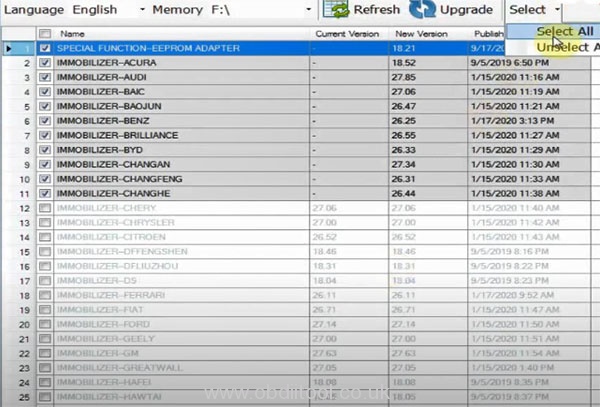
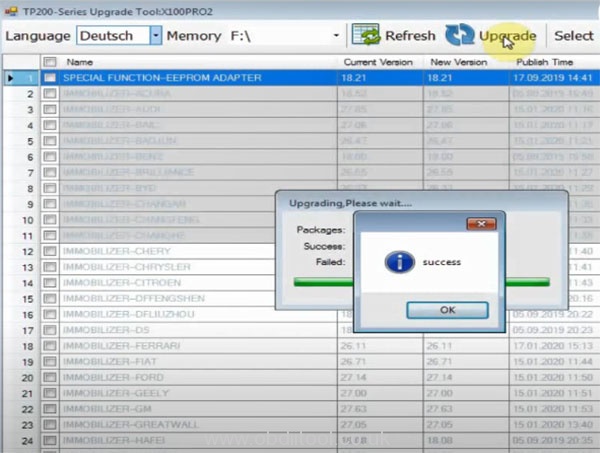
The step-by-step guide to update x100 pro2 key programmer:
It will not connect with global tis v32 tried on 3 different laptops. MDI manager finds and connects the gm mdi2 device but global tis has a red X through the device when trying to select it, see images attached. Are you able to help via remote still need help asap? Thanks!
MB Star Diagnostic Xentry software has been updated to V06.2020. It has been tested and verified 100% working fine on Win7 and Win10, and can be used for MB SD Connect C4/C5.
1.DAS/Xentry software work for Mercedes Benz Car & Truck Diagnostics till 2020 2. MB Star Diagnostic DAS/Xentry software with MB subscription support SCN Online Coding function (Notice: mb sd software will no support online coding after v2019.12, if you want SCN Online Coding Function, pls buy v2019.09 sd c4 software) 3.Mercedes engineering Vediamo & DTS Monaco software option perform more professional functions
When I install Diagbox V7.83 software on Windows 7 64 bit of my computer, it prompts there is something wrong with the original files, I cannot install successfully. How to solve?
The solution:
Please download by the following link and install again.






 obdiitool.co.uk Tech Support Blog